How to Use Translation Apps on Family Vacation
Table of Contents
Stepping off a plane into a country where you don’t speak the language can instantly trigger parental anxiety. How will you navigate the train system, ask about food allergens for your kids, or find a restroom in a pinch? Translation apps act as your family’s personal, pocket-sized interpreter, transforming a daunting communication barrier into a manageable, and even fun, part of your international adventure.
These digital tools instantly bridge the linguistic gap, ensuring that everything from ordering a simple meal to addressing an unexpected medical concern is handled smoothly. To explore more about integrating various technologies into your trip, you might find value in learning how to use other digital tools for family vacation planning.
1. Why are translation apps essential for family vacations?
Translation apps are the ultimate safety net for international family travel. Their primary value lies in mitigating risk and reducing the sheer cognitive load on parents. Instead of relying on frantic hand gestures or outdated phrasebooks, you gain instant access to critical information—empowering you to handle everything from confirming hotel reservations to interacting with local doctors accurately and efficiently.
Beyond pure logistics, these apps free up mental energy. By outsourcing the effort of basic communication, parents can be more present and observant, drastically improving the overall quality of the family vacation.
Prioritize downloading a translation app if your family vacation involves destinations where English is not widely spoken, especially in rural areas or for handling critical needs like food allergies.
Now that the essential role of these apps is clear, understanding the different types available is the next logical step in preparing for your family’s trip.
What core benefits do translation apps offer traveling families?
The core benefits that translation apps offer traveling families include enhanced communication for practical tasks, increased safety in emergencies, and greater opportunities for cultural engagement. These apps empower families to confidently navigate daily situations like ordering at restaurants, buying tickets, and asking for directions. This functional independence makes the travel experience smoother and more enjoyable for everyone, including children.
A key benefit is the empowerment of children; they can use the app to learn and speak basic greetings, transforming them from passive observers into active participants in the travel experience.
A 2024 survey of travelers found that 73% reported that digital tools like translation apps enhanced their sense of cultural immersion.
This indicates that translation apps aren’t just for emergencies; they are active tools for enhancing the vacation’s depth by fostering real connections with locals.
Author’s Experience
“During a family trip to Japan, using a translation app’s image feature on restaurant menus saved us from several dietary mishaps with our picky eater. It wasn’t just about understanding words; it was about confidently navigating an unfamiliar culture and making sure everyone enjoyed their meals without stress.”
How do translation apps improve family safety and confidence abroad?
Translation apps improve family safety and confidence abroad by providing a critical communication lifeline in emergency situations, such as needing medical assistance or interacting with local authorities. The ability to instantly translate symptoms to a pharmacist or a situation to a police officer removes ambiguity and ensures the family’s needs are clearly understood. This readiness builds parental confidence, reducing anxiety about traveling in a foreign country.
The app’s utility extends to preventative safety; families can use it to read warning signs at beaches or hiking trails, understand food allergen labels on packaging, and confirm transportation details to avoid getting lost.
According to reports on language skills in healthcare, language barriers can significantly delay treatment in medical emergencies.
Immediate understanding of emergency instructions or medical terms eliminates critical delays when every second counts for your child’s well-being.

© WovenVoyages
Alongside translation apps, researching local emergency apps for family vacation can further bolster your family’s security.
2. What types of translation apps are available for family travel?
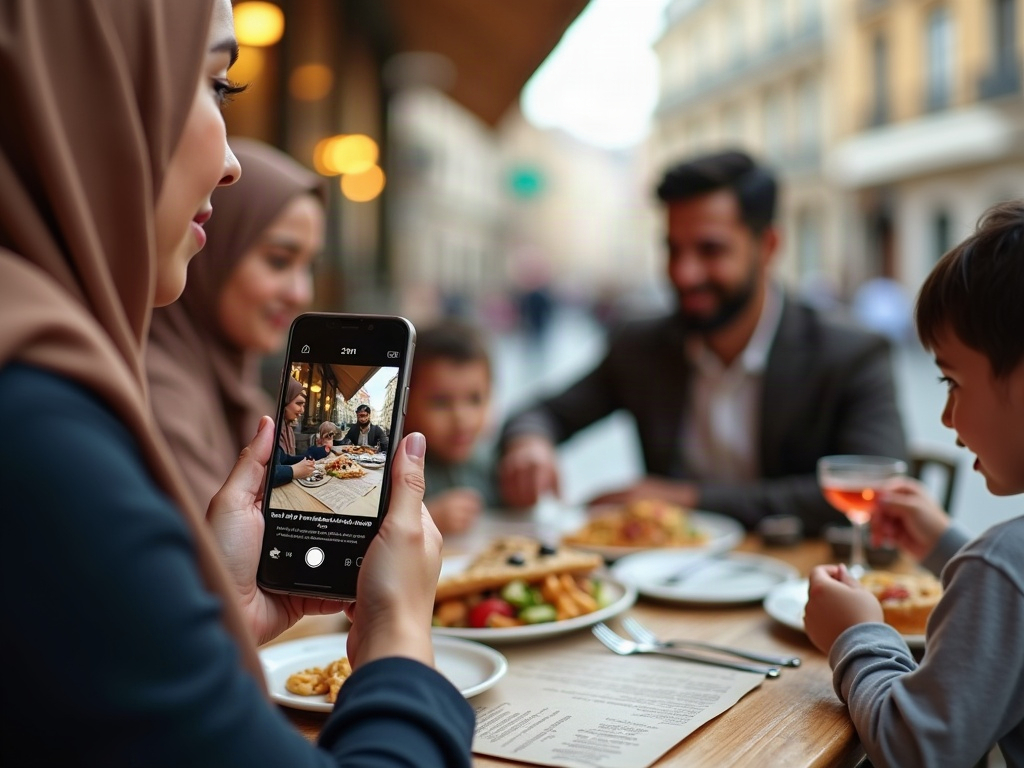
The main types of translation apps available for family travel are categorized by their input method: voice translation for conversations, text translation for written words, and image translation for signs and menus. Voice translators are for real-time dialogue, text translators are for typing out phrases, and image translators use your phone’s camera to translate words in a picture. Most modern apps for family vacations combine all three functions into a single platform.
The underlying technology, often Neural Machine Translation (NMT), allows these apps to understand context and syntax, making them far more accurate than older phrase-based systems. This is crucial for family travel where clarity can prevent misunderstandings with hotel bookings or tour guides.
Neural Machine Translation (NMT): an advanced AI-powered approach to language translation that considers the context of entire sentences, resulting in more accurate and natural-sounding translations compared to older word-for-word methods.
Choose a multifaceted app with strong voice, text, and image capabilities to cover all potential communication scenarios on your family vacation, from a quick chat to reading a complex museum exhibit description.
Knowing these distinct types makes it possible to evaluate which specific app and features will best serve your family’s unique travel style and destination.
© WovenVoyages
How do voice translation apps simplify real-time conversations for families?
Voice translation apps simplify real-time conversations for families by creating a near-instant dialogue, allowing for natural, spoken back-and-forth interactions with locals. These apps listen to a spoken phrase in one language and vocalize the translation in another, making interactions like asking for directions or a child thanking a shopkeeper fluid and immediate. Many feature a “Conversation Mode” that facilitates a two-way exchange.
The psychological benefit for a family is significant; it lowers the social barrier to entry for initiating a conversation. The app acts as a ‘social lubricant,’ making parents and children more willing to engage with locals beyond simple pointing and gestures.
As of 2023, leading neural machine translation (NMT) systems have achieved accuracy rates of over 90% for common language pairs.
When should families use text and image translation features on vacation?
Families should use text and image translation features on vacation for non-verbal situations, primarily when reading menus, transportation schedules, museum placards, and street signs. Use text translation for composing precise questions or when in a quiet environment like a library. Use image translation by pointing your phone’s camera at written text for an instant on-screen translation, which is ideal for navigating complex public transit systems or understanding ingredient lists.
Image translation is particularly powerful for languages with non-Latin alphabets (e.g., Japanese, Thai, Arabic). It removes a layer of complexity that would be impossible to overcome with a simple phrasebook, making destinations like Tokyo or Bangkok significantly more accessible for families.
As of 2023, Google reports its Lens feature is used to translate text over 1 billion times each month, highlighting its massive adoption by travelers.

© WovenVoyages
3. How do you choose the best translation app for your family’s vacation needs?
You choose the best translation app for your family’s vacation needs by evaluating key features against your specific travel context, such as offline capability, ease of use for children, and the number of languages supported for your destination. The best app for your family is one that works reliably without internet at your destination and has an interface simple enough for your kids to use. Prioritize offline functionality and a clear, intuitive design over an exhaustive list of features you won’t use.
The “best” app is destination-dependent. An app with superior offline maps and translation for Japanese is best for a trip to Japan, while another might excel with European languages and dialects. The choice is not about one single best app, but the best app *for the itinerary*.
Ease of Use (for Kids): a design evaluation metric focusing on large buttons, minimal text, and intuitive icons, which allows children to use the app independently with minimal parental supervision.
Choose an app with robust, pre-downloadable offline language packs if your family vacation includes remote areas, national parks, or countries where international data plans are prohibitively expensive.
After assessing these core features, a critical and often overlooked factor in your choice is the app’s approach to privacy and data security.
Which features are essential for a family-friendly translation app?
The essential features for a family-friendly translation app are robust offline functionality, a simple user interface (UI) with large icons, high-quality voice and image translation, and a built-in phrasebook. Prioritize robust offline capabilities to avoid data roaming charges and ensure functionality in areas with poor connectivity. A simple UI is crucial so that even young children can use the app to learn greetings or ask simple questions, making them part of the experience.
A “favorites” or “pinning” feature is an underrated essential for families. It allows parents to save critical phrases like “peanut allergy,” “where is the bathroom?” or the hotel’s address for one-tap access in stressful situations.
iTranslate has been downloaded 200 million times and has over 1 million App Store reviews, indicating strong user trust in its feature set.
Look for apps that offer a ‘conversation mode’ which splits the screen, so both parties can easily see translated text during an active dialogue.
Essential Features Checklist
- Robust offline functionality
- A simple user interface (UI) with large icons
- High-quality voice and image translation
- A built-in phrasebook
How do offline capabilities impact app selection for international family travel?
Offline capabilities are the single most critical factor in app selection for international family travel, as they determine whether the app will function without incurring expensive data roaming charges or relying on spotty public Wi-Fi. An app with strong offline capabilities allows you to download entire language packs to your device before your trip. This ensures you have reliable translation in remote locations, on airplanes, or in subways, making it an essential feature for a stress-free family vacation.
The size of offline language packs varies significantly between apps. A key part of the selection process is checking if your device has enough storage space for the required languages, a practical step many families overlook before departure.
Google Translate offers offline capabilities for 59 languages, which is a key decision metric when planning for connectivity-free travel.
This need for offline reliability extends beyond translation apps to crucial items like knowing how to access tickets offline without WiFi on your family vacation.
4. What are the key considerations for translation app privacy and data security?
The key considerations for translation app privacy and data security on a family vacation are what data the app collects (voice, text, location), where that data is stored, and with whom it is shared. When choosing an app, review its privacy policy to see if it processes data on-device or sends it to the cloud. On-device processing is more private, which is a crucial consideration if your family is discussing sensitive information.
For families traveling in or to the European Union, look for apps that are compliant with the General Data Protection Regulation (GDPR). GDPR compliance is a strong indicator that the app developer takes data privacy seriously, offering a higher standard of protection for your family’s personal information.
General Data Protection Regulation (GDPR): a landmark data privacy law from the European Union that mandates strict rules on how companies collect, store, and manage personal data, giving users more control over their information.
Choose an app that explicitly states it processes translations on-device or has a clear, user-friendly privacy policy if your family values maximum data security during your travels.
With a secure and feature-rich app chosen, the next step is to properly prepare it for your journey to ensure it works perfectly from the moment you land.
© WovenVoyages
How can families protect personal information when using translation apps abroad?
Families can protect personal information when using translation apps abroad by reviewing and limiting app permissions, avoiding the translation of sensitive data, and preferring apps that perform translations on-device. Before you travel, go into your phone’s settings and disable unnecessary permissions for the app, such as access to your microphone (when not in use), contacts, or location. Avoid speaking or typing personally identifiable information like credit card numbers or home addresses into the app.
A simple but effective technique is to use “split-knowledge.” For example, when asking for directions back to your hotel, translate only the street name, not the full hotel name and room number. This prevents a complete record of your location from being stored in your translation history or on a server.
A 2023 report by Surfshark found that 87% of top apps share user data, underscoring the need for careful permission management.
When should you opt for paid vs. free translation apps for family vacations?
You should opt for a paid translation app for your family vacation when you require guaranteed offline access, an ad-free experience for your children, and more advanced features like unlimited voice or image translations. Free apps are sufficient for basic online translations, but a paid subscription is a wise investment for international travel. The cost, typically under $10 a month, buys reliability through offline packs and removes disruptive ads, which is crucial when trying to communicate quickly in a stressful situation.
The business model is a key differentiator: free apps often monetize user data, while paid apps are funded by subscriptions. Therefore, opting for a paid version can often be a direct investment in better data privacy for your family.
For short trips, a monthly premium subscription like iTranslate’s at $5.99 makes sense, while the free version of a specialized app like Waygo limits users to just 10 daily translations.
5. How should families prepare translation apps before a vacation?
Families should prepare translation apps before a vacation by downloading the app and all necessary offline language packs over a stable home Wi-Fi connection. The preparation process involves four key steps: downloading the app, installing the specific language packs for your destination, testing the core features, and pre-saving essential phrases. Completing these steps at home prevents data usage abroad and confirms the app works correctly.
A crucial preparation step is to test the app in “Airplane Mode” after downloading the language packs. This simulates the offline environment you’ll experience abroad and instantly verifies whether the offline mode is functioning correctly.
Language Pack: a downloadable file containing all the necessary vocabulary, grammar, and translation models for a specific language, enabling the app to work without an internet connection.
Complete this preparation process at least one week before your departure date to allow time for troubleshooting or choosing a different app if you encounter issues.
Once your app is fully prepared and tested, the focus shifts to how your family can use it most effectively during your actual vacation.
What are the best practices for downloading offline language packs?
The best practice for downloading offline language packs is to connect your device to a stable Wi-Fi network, download the packs for both your native language and your destination’s language, and verify the download was successful. Always download language packs over Wi-Fi to avoid using your mobile data. Ensure you have sufficient storage space on your device beforehand, as these packs can be large, and confirm the download’s completion within the app’s settings.
Best practice includes checking for app updates *before* downloading the packs. An outdated app may have compatibility issues with the latest language files, causing the offline mode to fail when you need it most.
Translation apps use minimal data for text translation (about 1-2MB per hour), but offline language packs can be several hundred megabytes, making Wi-Fi essential for the download process.
Best Practices for Downloading Offline Language Packs
- Connect your device to a stable Wi-Fi network.
- Download the packs for both your native language and your destination’s language.
- Verify the download was successful.
How can families practice using translation apps together before the trip?
Families can practice using translation apps together before the trip by turning it into a game, such as translating the names of objects around the house or practicing common greetings and phrases for their destination. Set aside 15 minutes to hold a “translation scavenger hunt,” where kids use the app to translate a list of items. You can also use the voice feature to practice a simple restaurant order, making the family comfortable with the app’s interface and flow.
An effective practice method is to use the image translation feature on foreign-language product labels at an international grocery store. This real-world, low-stakes practice builds confidence and demonstrates the app’s practical power to children.
With over 7,000 languages spoken worldwide, practicing with an app can be a fun way to introduce children to the planet’s linguistic diversity before a trip.
Integrating app preparation into your broader planning, including how to organize a digital family vacation itinerary, ensures a well-coordinated trip.
6. How can your family effectively use translation apps during the vacation?
Your family can effectively use translation apps during the vacation by speaking slowly and clearly into the microphone, using simple sentences, and showing the translated text to the other person for confirmation. For the best results, avoid slang, idioms, and complex sentences. Use the app for specific, contained tasks like asking a price or confirming a time, and always maintain a polite and patient demeanor.
The most effective users combine the app with non-verbal cues. Point to the item on the menu *while* using the voice translator, and use gestures like a thumbs-up or a smile. This combination of tech and human interaction is more effective than relying on the app alone.
Simple Sentences: short, declarative statements with a clear subject, verb, and object (e.g., “We need a table for four”) that are easily parsed by translation algorithms.
Use the app as a primary tool for transactional communication (e.g., buying things) but as a secondary support tool for relational communication (e.g., friendly chats), where nuance is more important.
Beyond these practical uses, translation apps also offer a unique opportunity to actively involve your children in the cultural aspects of your trip.
What are practical tips for using voice translation in noisy environments?
The most practical tip for using voice translation in noisy environments is to use a smartphone with a quality microphone or to connect a headset with a built-in mic. Speaking directly and closely into your phone’s microphone can help isolate your voice. Alternatively, step into a quieter area like a doorway or use a pair of wired or wireless earbuds with a microphone, which will capture your voice much more clearly than the phone’s built-in mic.
A counter-intuitive but effective tip is to use the text-to-speech function instead. Type your question manually and then have the app speak the translation aloud. This bypasses the need for the microphone to accurately capture your voice in a loud setting.
Research shows that speech recognition accuracy can drop by over 12% in noisy environments.
How can image translation help families navigate foreign signage and menus?
Image translation helps families navigate foreign signage and menus by using the phone’s camera to overlay an instant, augmented-reality translation directly onto the live image of the text. Simply open the image translation feature, point your camera at a street sign, train schedule, or restaurant menu, and the translated text will appear on your screen. This allows for rapid, independent understanding of your environment without needing to ask for help.
This feature is a game-changer for families dealing with food allergies. It allows a parent to scan a full ingredient list on a packaged snack in a supermarket, providing a level of safety and certainty that would otherwise be impossible.
A recent survey indicates 67% of leisure travelers use smartphones for in-destination information, with camera translation being a key feature.
To maximize your digital readiness, it’s also beneficial to consider how to use other utility apps on a family vacation that complement translation tools.
7. How can families involve children in using translation apps for cultural immersion?
Families can involve children in using translation apps for cultural immersion by transforming the app into a fun learning tool for discovering new words, practicing greetings, and interacting with locals in a guided way. Turn language learning into a game by having kids use the app to “collect” words, such as the names of different animals or foods they see. Encourage them to use the app to say “hello,” “please,” and “thank you” in the local language, which builds their confidence and fosters positive interactions.
The app can be used as a “curiosity engine.” When a child asks “What’s that called?”, instead of just giving the English word, use the app together to find the local word. This connects their curiosity directly to the place they are visiting, creating a memorable learning moment.
Cultural Immersion: for family travel as the practice of actively engaging with the local culture beyond typical tourist activities, including learning basic language, trying traditional foods, and understanding local customs.
Use the app to create a “word of the day” challenge for the whole family, fostering a fun, collaborative learning environment throughout the vacation.
While these apps are powerful tools for engagement, it’s also important for families to be aware of common challenges and how to solve them.
What age-appropriate activities promote kids’ engagement with translation apps?
Age-appropriate activities that promote kids’ engagement with translation apps range from simple sound-and-word matching for toddlers to guided conversational practice for teenagers. For young children (ages 3-6), use the app to learn the sounds of animal names in another language. For older children (ages 7-12), create a scavenger hunt where they use the image translator to find and identify items on a list, and for teens, encourage them to use the conversation mode to order their own drink or snack.
For teenagers, the app can be a bridge to connecting with local teens. They can use it to ask about popular music or sports, leveraging technology they are already comfortable with to cross cultural barriers in an authentic way.
Some apps like iTranslate offer a “voice loop” feature that is popular with family travelers so kids can ask simple questions at theme parks or aquariums without parental intervention.
How do translation apps foster curiosity about other languages and cultures in children?
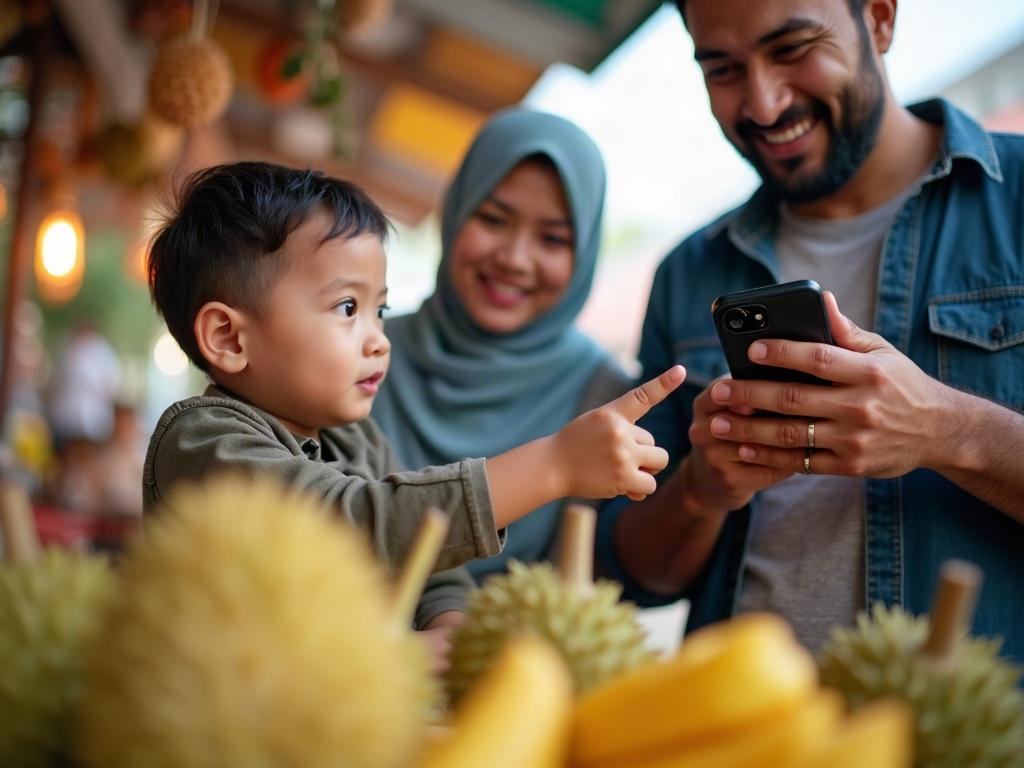
Translation apps foster curiosity about other languages and cultures in children by providing immediate, interactive answers to their questions, making the foreign environment accessible and fascinating rather than intimidating. When a child sees a new fruit at a market and asks what it is, using the app to find its name in the local language provides an instant, memorable connection. This process teaches them that different cultures have different words for things, sparking a foundational interest in linguistics and global diversity.
The apps demystify the concept of “foreignness.” By showing that any word or phrase can be translated, they teach a child that other languages are not incomprehensible codes, but structured systems just like their own, fostering an early sense of global citizenship.
Apps like Microsoft Translator support over 129 languages, providing children with a vast window into the world’s diverse cultures and vocabularies.
8. What common challenges might families face with translation apps and how to fix them?
The most common challenges families face with translation apps are poor internet connectivity, rapid battery drain, and translation inaccuracies, all of which have straightforward fixes. To fix connectivity issues, use a pre-downloaded offline language pack. To combat battery drain, lower your screen brightness and use the app in short bursts, and to handle inaccuracies, use simple sentences and be prepared to rephrase.
A common user error is leaving the app’s “conversation mode” running in the background, which heavily taxes both the microphone and the processor, causing rapid battery drain. The fix is to be diligent about fully closing the app after each use.
Battery Saver Mode: a setting on most smartphones that reduces performance and background activity, such as push notifications and app refreshes, to extend battery life—a critical feature to enable when relying on a phone for translation.
If your family vacation is to a remote destination, the single most important action is to select and prepare an app with proven offline capabilities to preemptively solve the biggest potential challenge.
Beyond these technical challenges, families must also be prepared to navigate the nuances and occasional inaccuracies of the translations themselves.
How can families overcome poor internet connectivity challenges with translation apps?
Families overcome poor internet connectivity challenges with translation apps by exclusively using an app’s offline mode with pre-downloaded language packs. The definitive solution is preparation: before your trip, choose an app with robust offline support and download the necessary language packs over Wi-Fi. This makes internet connectivity irrelevant for translation tasks during your vacation.
For unexpected needs, a secondary strategy is “Wi-Fi hopping.” Many city centers, museums, and cafes (like McDonald’s or Starbucks) offer free Wi-Fi. Families can step in for a moment to use an online-only feature or download a new language pack if their plans change.
A 2023 analysis revealed that international mobile data roaming can be incredibly expensive, making offline app functionality a critical cost-saving feature.
What strategies prevent translation apps from draining device battery during travel?
Strategies that prevent translation apps from draining device battery during travel include lowering screen brightness, closing the app when not in use, and carrying a portable power bank. The screen is the biggest power draw, so reducing its brightness is the most effective tactic. Additionally, avoid continuous “Conversation Mode” and fully exit the app after each use, and always carry a fully charged portable battery as a reliable backup for a long day of sightseeing.
Using text translation instead of voice translation can conserve battery, as it doesn’t require powering the microphone or the speaker. Similarly, using a downloaded offline pack is more energy-efficient than using cellular data to connect to a remote server for translation.
Data from one app shows that voice translation consumes 5-10MB of data per hour, while camera translation can use 20-50MB per hour, both of which also heavily impact battery life.
9. How can families avoid common translation inaccuracies or misunderstandings?
Families can avoid common translation inaccuracies and misunderstandings by using simple, literal language, breaking complex ideas into multiple short sentences, and using the app as a communication aid, not a sole replacement for human interaction. Speak or type short, direct sentences and avoid idioms, slang, or sarcasm, which algorithms translate poorly. When a translation seems odd, try rephrasing the sentence in a different way to see if the result is clearer.
A highly effective technique is the “reverse translation check.” After translating your phrase into the foreign language, use the app to translate it *back* into your native language. If the reverse translation makes sense, the original translation was likely accurate.
Local Dialects: regional variations of a language in pronunciation, grammar, and vocabulary. Translation apps may struggle with strong local dialects, leading to inaccuracies that can be overcome by using more standardized, formal language.
If a conversation is critical (e.g., medical or financial), always try to confirm the translated information through gestures, showing the text, or finding a human translator if possible.
Beyond these technical challenges, families must also be prepared to navigate the nuances and occasional inaccuracies of the translations themselves.
 © WovenVoyages
When is it best to double-check app translations with context or gestures?
It is best to double-check app translations with context or gestures during any critical interaction, including discussing medical issues, confirming prices or financial transactions, and following complex directions. Always use gestures or show the translated text on your screen when communicating about health, money, or specific times and locations. For example, after the app translates a price, confirm it by pointing to the numbers on a calculator or your phone.
The “politeness context” is often missed by apps. After the app translates a request, adding a universal gesture like a smile and a nod can transform a blunt, machine-generated demand into a polite, human interaction, yielding better results from locals.
While leading NMT systems boast over 90% accuracy for common languages, this accuracy can decrease with complex or nuanced sentences, making it crucial to double-check critical details.
How can families handle cultural nuances that translation apps might miss?
Families can handle cultural nuances that translation apps miss by pairing the app’s literal translation with observation, politeness, and a basic pre-trip understanding of local customs. Translation apps cannot translate etiquette, such as appropriate levels of formality or customs around bargaining. Before your trip, do a quick search on local etiquette, and when in doubt, err on the side of being more formal and polite in your interactions.
A key strategy is to use the app to translate “What is the custom for…?” or “Is it polite to…?” and show it to a hotel concierge or a friendly local. This uses the technology to learn about cultural norms directly from a source, bridging the gap the app itself creates.
To feel natural, a real-time conversation requires a translation latency of under 800ms, but even perfectly-timed translations can lack the cultural tone that only human awareness can provide.
In critical situations, such as needing to understand how to handle medical emergencies on family vacation, clear communication through translation apps, reinforced by gestures, is invaluable.
10. Logistics: Execution Checklist
| Checklist Item / Tactic | Status |
|---|---|
| Step 1: Download your chosen translation app (e.g., Google Translate) and all necessary offline language packs over home Wi-Fi before traveling. | ⬜ |
| Step 2: Test the app in Airplane Mode to verify that offline text and camera translations work correctly without a data connection. | ⬜ |
| Step 3: Pin or save essential phrases like “Does this have peanuts?” and your hotel’s local address to the app’s favorites list. | ⬜ |
| Step 4: Review app permissions in your device settings and disable unnecessary location sharing to maximize data privacy. | ⬜ |
Frequently Asked Questions
Do translation apps work without the internet?
Are free translation apps good enough for a family vacation?
How accurate is the camera translation feature on menus?
Do translation apps drain my phone battery quickly?
Resolution
Ultimately, using translation apps on a family vacation is about leveraging a powerful tool to enhance safety, reduce stress, and create deeper cultural connections for every member of the family. By choosing the right app, preparing it before you leave, and using it smartly during your trip, you transform a potential source of stress into your most reliable travel companion. These apps empower families to explore the world with greater confidence and curiosity. The most important takeaway is that these apps are a bridge, not a replacement. Their best use is to initiate contact and clarify specifics, while the core of the travel experience remains the human-to-human connection they help facilitate. The final decision is clear: for any international family vacation, a well-prepared translation app is no longer a luxury, but an essential part of your travel toolkit.