Are There Local Emergency Apps for Family Vacation?
Table of Contents
Yes, there are highly effective local emergency apps available for family vacations that provide destination-specific safety alerts, direct one-touch dialing to local emergency services, and vital offline health information. These specialized mobile applications function as a critical digital safety net for travelers in unfamiliar locations.
Families need these apps to overcome language barriers and navigate foreign emergency systems, ensuring a fast, effective response during a crisis ranging from a medical issue to a natural disaster. When faced with language barriers, knowing how to use translation apps on family vacation can be just as crucial for communication. To ensure a comprehensive and enjoyable trip, it’s essential to understand the broader framework of How to Plan a Family Vacation Step by Step, as emergency preparedness is just one crucial element.
1. What are local emergency apps and why do families need them for vacations?
Local emergency apps are designed to bridge the gap between travelers and a destination’s established emergency infrastructure. Unlike general travel guides that passively list hospital addresses, a true emergency app actively connects you to local police, fire, or medical dispatch, often transmitting your precise GPS coordinates automatically.
The critical distinction is between generic tools and official, localized platforms. A government-endorsed emergency app can push a real-time alert about a nearby wildfire and provide official evacuation routes, offering actionable intelligence that general maps cannot.
Define “Geo-location”: The process of identifying the geographical location of a device, such as a smartphone. In emergency apps, this technology automatically transmits a family’s precise coordinates to first responders, eliminating the risk of providing incorrect or unclear location details during a stressful event.
Prioritize researching and downloading these apps if your family vacation involves destinations with known risks (e.g., seismic activity in Japan, hurricane season in the Caribbean) or if traveling with a family member who has a chronic medical condition.
Understanding the fundamental definition and benefits of these apps is the first step; the next is to explore their specific capabilities across different types of vacation crises.

© WovenVoyages
How do local emergency apps enhance safety and preparedness for family travelers?
Local emergency apps enhance safety for family travelers by providing immediate access to verified local responders, delivering real-time, location-specific alerts, and offering critical information like first-aid guides directly on a smartphone.
These apps transform a smartphone into a proactive safety device, pushing alerts about nearby hazards before they become a crisis. This level of preparedness gives parents the information needed to make smart, protective decisions for their family in an unfamiliar environment. A key enhancement is the “silent alert” or “text to emergency service” feature in many apps, which is invaluable for situations where making a phone call is unsafe or impossible (e.g., a home invasion or a public security threat).
According to a study by Pew Research Center, 73% of parents express significant concerns about their family’s safety during travel, with 58% specifically citing “staying connected with family members” as their top priority.
Author’s Experience
“As a parent of two, I’ve personally used emergency apps on trips to Europe and Asia. The peace of mind from knowing instant, localized help is available, even for minor incidents like a scraped knee or a sudden fever, is invaluable. It truly transforms travel anxiety into confident exploration.”
What core functionalities should families expect from destination-specific emergency apps?
Families should expect destination-specific emergency apps to provide core functionalities including one-touch dialing to local emergency numbers, GPS-based location sharing, push notifications for official alerts, and access to offline safety resources.
The most vital function is the ability to connect directly with the correct local emergency dispatch (the equivalent of 911, 112, or 999). Beyond this, families should look for features like multi-language support and directories of nearby hospitals or embassies. A “premium” but increasingly common feature is integration with the country’s national alert system (like the Wireless Emergency Alerts in the U.S.). This means the app is not a third-party service but a direct conduit for official, life-saving government broadcasts.
The push for integrated infrastructure is growing; the 2022 National 911 Progress Report showed 35 states are implementing statewide Next Generation 9-1-1 (NG911) programs, which enables direct app-to-responder data transmission.
Core functionalities include:
- One-touch dialing: direct access to local emergency numbers.
- GPS-based location sharing: precise location transmission to first responders.
- Push notifications: official alerts from local authorities.
- Offline safety resources: access to information without internet.
2. Can families rely on region-specific emergency apps for all types of vacation crises?
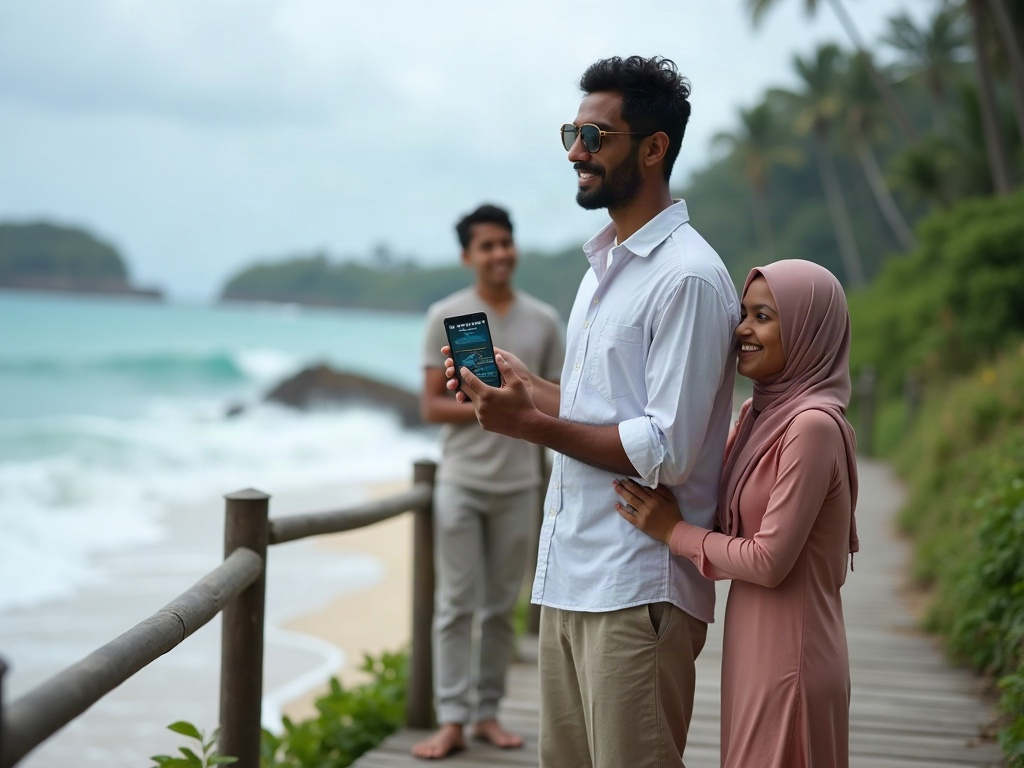
Families can rely on region-specific emergency apps for many, but not all, types of vacation crises, as their effectiveness is highest for events requiring rapid local response or official public alerts.
These apps excel at handling medical emergencies, natural disasters, and security threats by connecting you to local infrastructure. However, they are not a substitute for travel insurance, consular assistance for legal issues, or personal preparedness for minor incidents. Therefore, understanding How Do You Choose Travel Insurance for a Family Vacation? becomes an indispensable part of your overall safety strategy.
The primary limitation is jurisdiction. A local emergency app for Tokyo is useless for a crisis in Kyoto. This highlights the need for pre-trip research for each specific city or region on the itinerary, not just the country.
Define “Consular Services”: The help and advice provided by a foreign country’s embassy or consulate to its own citizens traveling abroad. This includes assistance with lost passports, legal trouble, or major crises, services which are typically outside the scope of a local emergency response app.
Rely on these apps as your primary tool for immediate, life-threatening situations, but ensure you also have contact information for your travel insurance provider and the nearest embassy or consulate for all other major travel disruptions.
© WovenVoyages
Do these apps offer assistance for medical emergencies involving children or adults?
Yes, many local emergency apps offer direct assistance for medical emergencies involving both children and adults by providing one-tap access to local paramedics and a GPS location transmitter.
Their primary medical function is to shorten the time between the incident and the arrival of professional help. Some advanced apps also include pediatric first-aid guides or the ability to store a child’s medical profile (allergies, conditions) for first responders. Complementing app-based medical support, a well-stocked and accessible What to Include in a Family Vacation First-Aid Kit? is essential for immediate minor health concerns. Some apps, particularly in Europe and Australia, integrate with a network of registered volunteer first responders or nearby defibrillators (AEDs), showing their locations on a map for immediate community-level assistance before an ambulance arrives.
Medical crises during travel are common, with one analysis showing that emergency medical claims accounted for 26.9% of all travel insurance submissions.
How do local emergency apps provide support during natural disasters or security threats?
Local emergency apps provide critical support during natural disasters or security threats by broadcasting official, real-time instructions, such as evacuation orders, shelter-in-place warnings, and maps of safe zones.
During a widespread crisis, these apps become a direct line of communication from local authorities to your phone, cutting through the noise of social media with verified information. This allows families to take correct, coordinated action rather than panicking or relying on rumors. The “I Am Safe” feature is a key function in many disaster-focused apps. It allows a user to broadcast their status to a pre-set list of family contacts with a single tap, which is far more efficient than individual calls or texts when communication networks are congested.
The American Red Cross Emergency App provides users with customizable real-time alerts for more than 40 hazard types, including earthquakes, hurricanes, floods, and wildfires. For example, receiving a tsunami warning on a coastal trip in the Pacific and getting a map to the nearest elevated shelter.
3. How do families select the most effective local emergency apps for their vacation destination?
Families select the most effective local emergency apps for their vacation destination by first identifying official government-endorsed options and then evaluating them based on critical features like offline functionality, language support, and relevance to the family’s needs.
The selection process involves two steps: first, research your destination’s official emergency app via its government tourism or public safety website. Second, compare that app against other highly-rated options using a clear set of criteria to ensure it covers your family’s specific risks.
The most common mistake is choosing a generic “global” safety app over a country’s official, integrated one. An official app is tied directly into the local emergency dispatch system, whereas a third-party app often just acts as a glorified phone dialer, adding a layer of delay.
Define “Offline Functionality”: An app’s ability to provide access to its core content and features—such as maps, first-aid guides, or emergency contacts—without an active internet or cellular connection. This is crucial for travel in remote areas or during a disaster when communication networks may fail.
Choose the official, government-backed app for your destination as your primary tool, even if its interface is less modern. Supplement it with a secondary app (e.g., a Red Cross first-aid app) for features the primary app may lack.

© WovenVoyages
What critical features should families prioritize when evaluating emergency apps?
Families evaluating emergency apps should prioritize a critical feature set that includes official government endorsement, offline functionality, GPS location sharing, and multi-language support.
The absolute top priority is an app’s direct integration with local emergency services, which is usually only found in official apps. After that, the ability to function without a data connection is the most critical feature for ensuring reliability during a real crisis. A subtle but critical feature is “low battery consumption.” A poorly designed app that drains a phone’s battery is a liability, not an asset, in an extended emergency situation. Check recent app store reviews for user complaints about battery drain.
Demand for location-sharing and safety features is high, reflected by the massive $280 million revenue generated from family locator apps in 2024.
Does the vacation destination’s unique characteristics influence app selection?
Yes, the vacation destination’s unique characteristics profoundly influence app selection, requiring families to match app features to the region’s specific environmental, infrastructural, and geopolitical risks.
For a trip to a remote national park, an app with robust offline maps and first-aid guides is paramount. Conversely, for a vacation in a dense European city, an app featuring public transit disruption alerts and real-time security information is more valuable. Language complexity is a key destination characteristic. For destinations where English is not widely spoken (e.g., Japan, parts of South America), an app with a built-in translation feature for communicating with emergency operators is not a luxury but a necessity.
As international family travel continues to rebound, with a 35% increase in cross-border family trips in 2024, having reliable, destination-specific tools has become essential, for example, for a trip to Florida during hurricane season, prioritize an app with NOAA weather alerts.
4. Which trusted sources and criteria help families verify the reliability of local emergency apps?
Families verify the reliability of local emergency apps by prioritizing sources such as official government websites, national health services, and the destination country’s official tourism board.
The most trusted source is always a direct link from a government domain (e.g., .gov, .gc.ca, .gov.uk). After official endorsement, criteria like recent updates, positive reviews from a large user base, and clear privacy policies help verify an app’s quality and trustworthiness.
A key reliability signal is the app’s “last updated” date in the App Store or Google Play. An emergency app that hasn’t been updated in over a year is a major red flag, as it may have compatibility issues with modern operating systems or outdated information.
Define “Official Endorsement”: A formal, public approval of an app by a recognized government body or authoritative organization (like the Red Cross). This endorsement signifies that the app has been vetted for accuracy, reliability, and security, making it a trustworthy choice for travelers.
If you cannot find an app officially endorsed by the destination’s government, your next best choice is an app from a globally recognized NGO like the International Federation of Red Cross and Red Crescent Societies (IFRC).

© WovenVoyages
Why is offline functionality a crucial factor for emergency apps during family travel?
Offline functionality is a crucial factor for emergency apps during family travel because crises like natural disasters or being in a remote location often result in the loss of cellular service and Wi-Fi.
An app that requires an internet connection is rendered useless at the exact moment it is most needed. Offline functionality ensures a family can still access life-saving information, like first-aid instructions or pre-loaded maps to the nearest hospital, regardless of network availability. Imagine your child has an allergic reaction while hiking miles from the nearest cell tower; an offline app provides immediate first aid instructions. The financial aspect is also a key factor. Relying on an online-only app abroad can lead to exorbitant data roaming charges. An app with offline maps and guides saves money and ensures function without depending on an expensive international data plan.
Some apps like the American Red Cross ‘First Aid’ app come preloaded with content, which means users don’t need a Wi-Fi or 4G connection to access the first aid information.
How do official government recommendations compare to general app store reviews?
Official government recommendations are the primary indicator of an emergency app’s legitimacy and integration with local services, while general app store reviews provide practical insight into its usability and technical performance.
A government recommendation confirms the app is the correct tool, but app store reviews tell you if that tool is well-made and reliable in practice. Both should be used together: the government endorsement is for trust, and the reviews are for quality control. The most valuable app store reviews for a traveler are negative ones sorted by “Most Recent.” These often reveal current, critical bugs (e.g., “latest update broke GPS on iPhone 15”) that a government website will not mention.
Travelers highly value official information; in 2022, over 5.5 million U.S. citizens used the official Smart Traveler Enrollment Program (STEP), demonstrating a reliance on government-provided resources. First, confirm the app on a government site. Then, go to the App Store or Google Play Store and read the 3-star User Reviews to understand its real-world limitations.
5. How do families find, download, and configure local emergency apps before their vacation?
Families find, download, and configure local emergency apps before their vacation by researching official sources, installing the apps via a trusted store, and pre-loading personal and emergency contact information.
The process begins weeks before departure by searching the U.S. State Department’s country pages or the destination’s official tourism website for app recommendations. Once found, download from the official Apple App Store or Google Play Store, and spend time setting up a complete family profile. Beyond emergency applications, effectively organizing a digital family vacation itinerary can significantly enhance your trip’s smooth execution.
A critical configuration step is to conduct a “dry run.” Many apps have a “test” or “demo” mode that allows you to simulate an alert without actually contacting emergency services. This familiarizes the family with the app’s sounds and procedures, reducing panic in a real event.
Define “Family Profile”: A section within an emergency app where users can proactively input personal details for each family member, such as name, age, blood type, known allergies, and medications. This data can be instantly accessed by first responders, saving critical time during a medical emergency.
Complete the entire download and configuration process while at home on a reliable Wi-Fi network. Do not wait until you are at the airport or in your hotel, where internet access may be unreliable or insecure.
© WovenVoyages
Where can families reliably discover official local emergency apps for their travel region?
Families can reliably discover official local emergency apps for their travel region on three primary sources: the U.S. State Department’s website, the destination country’s official tourism board website, and the websites of national emergency or health services.
Start with the travel.state.gov page for your destination, which often lists specific safety resources. If nothing is found there, search for “[Destination Name] official tourism site” or “[Destination Name] civil defense agency” to find links to their endorsed applications. Another reliable discovery method is to check the app developer’s name in the app store listing. An official app will typically be published under the name of a government ministry (e.g., “Ministry of Health of [Country]“) rather than a generic developer name like “TravelApps LLC.” The U.S. State Department plays a crucial role in providing safety information for American citizens abroad.
The UrSafe app offers hands-free, voice-activated SOS that’s fully integrated with emergency services (911) in more than 200 countries, demonstrating the wide availability of such tools.
How should families effectively set up emergency app profiles for each member and situation?
Families should effectively set up emergency app profiles by entering detailed medical information for each member, adding multiple local and at-home emergency contacts, and uploading clear, recent photos.
For each family member’s profile, include their full name, date of birth, blood type, any allergies (especially drug allergies), and current medications. Designate both an in-country contact (like a hotel concierge) and an at-home contact who can assist from afar. The most-forgotten setup step is granting the app all necessary permissions at the time of setup. This includes access to location, contacts, and notifications. Forgetting to do this can cause the app to fail during an emergency when you don’t have time to navigate settings menus.
Life360, a popular family safety app, offers a panic alert that sends your location via text, email, or voice call to your pre-selected contacts.
6. How can families integrate local emergency apps into their overall vacation safety plan?
Families can integrate local emergency apps into their overall vacation safety plan by designating a primary user, establishing communication protocols, and practicing common scenarios before the trip.
Integrating the app means making it an active part of your plan, not just a passive download. This involves discussing with the entire family when and how to use the app, and making sure everyone knows who to call first in different types of emergencies.
A powerful integration technique is the “Rally Point” strategy. Use the app’s offline map to pre-select and star two emergency rally points near your hotel or rental—a primary and a backup—and ensure every family member knows how to navigate to them if you get separated.
Define “Communication Protocol”: A pre-agreed set of rules for how family members will contact each other during an emergency. For example: “In a crisis, first use the app’s ‘I Am Safe’ button, then attempt a text message, and only call as a last resort to conserve battery and keep lines open.”
If you have teenagers with their own phones, integrate them into the plan by making them responsible for activating their own ‘I Am Safe’ alerts, giving them a sense of responsibility and ensuring redundant communication channels.
An integrated safety plan is only as strong as your family’s familiarity with the tools, which is why pre-trip testing is not an optional step.
What is the best way to test emergency apps and their features before leaving home?
The best way to test emergency apps before leaving home is to use any built-in “test” or “demo” mode, which is specifically designed to simulate an alert without contacting emergency services.
If a test mode is unavailable, families should test non-critical features like opening offline maps, reviewing first-aid guides, and confirming that family profiles are saved correctly. Never test the live “SOS” or “Call Emergency Services” button. For apps without a test mode, you can test the notification system by having a family member send a message through a related feature if available, or by checking your phone’s system settings to ensure notifications for that specific app are enabled and set to a high-priority, audible alert.
Failing to test an app can be risky; mobile app data shows 21% of users abandon an app after just one use due to poor experience, a discovery you don’t want to make during a crisis.
How do you educate family members on the responsible and timely use of emergency apps?
You educate family members on the responsible and timely use of emergency apps by holding a calm, pre-trip family meeting to explain that the app is a serious tool, not a toy, and to define what constitutes a real emergency.
The key is to frame the app as a tool that helps the family stay safe together. Use simple, age-appropriate language to explain scenarios for its use (e.g., “Use this if you get lost and can’t find Mom or Dad”) and explicitly state when not to use it. For younger children, role-playing is the most effective educational tool. Practice a simple scenario like “What do you do if you look up and I’m not there?” and walk them through the steps of opening the app and pressing the “call parent” button on their device (if they have one).
With apps like Life360 offering Car Crash Detection services that automatically contact emergency services, it is critical that family members, especially teen drivers, understand how these features work.
7. What common challenges should families anticipate when relying on emergency apps during vacation?
Families relying on emergency apps during vacation should anticipate common challenges including poor cellular or GPS signal, rapid battery drain, and the app failing to function in a different country.
The most frequent challenges are technical: the app won’t work without a signal, or it depletes your phone’s battery. Other issues include user error, such as forgetting to download offline maps, or discovering the app isn’t supported in your specific travel region. Furthermore, conducting thorough research to understand how to check if a destination is safe for family vacation is a proactive measure that can address many potential concerns.
A significant challenge is “permission rot,” where a phone’s operating system automatically revokes an app’s permissions (like location access) if it hasn’t been used for a few months. This can cause a pre-installed app to fail unexpectedly when opened for the first time on a trip.
Define “Data Roaming”: The use of a mobile phone to access the internet or make calls via a foreign mobile network. It is often prohibitively expensive and is a key reason why emergency apps with offline functionality are superior for international travel.
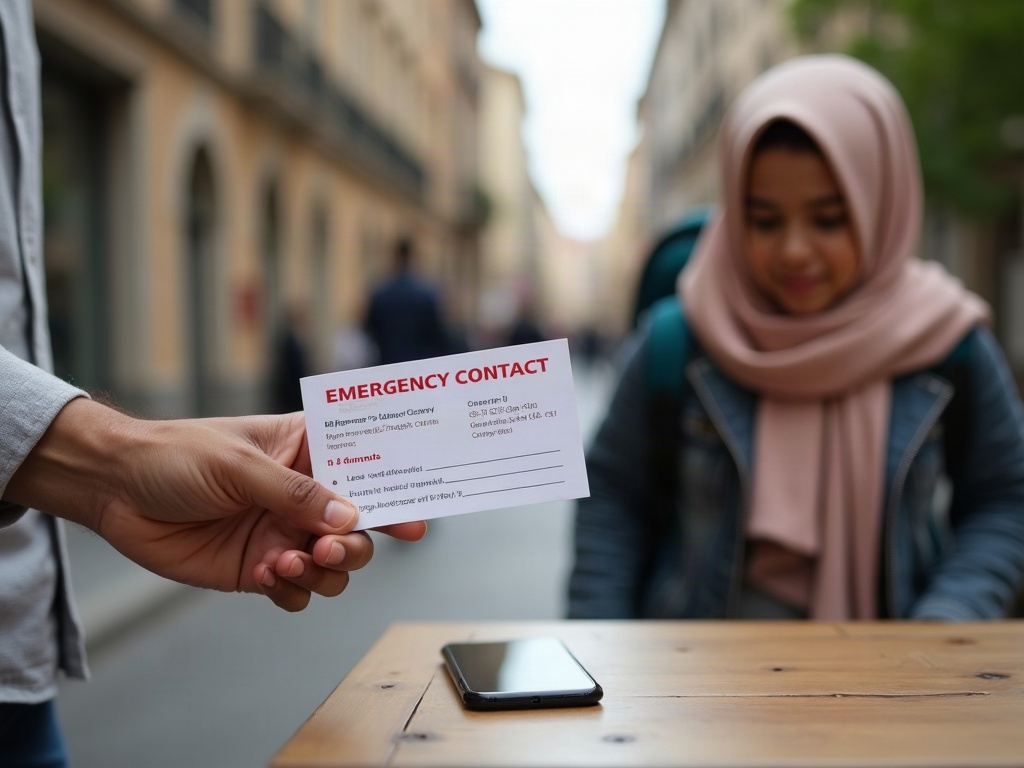
Anticipate these challenges by always carrying a portable battery pack (power bank) and having a non-digital backup plan, such as a physical card with emergency numbers and your hotel’s address.
How can families prevent technical glitches or app failures during critical moments?
Families can prevent technical glitches or app failures during critical moments by updating the app and their phone’s operating system before travel, pre-downloading all offline content, and re-confirming app permissions upon arrival.
The best prevention is pre-trip preparation. Ensure everything is updated, all necessary data is stored locally on the phone, and the app is fully functional before you actually need it. Upon arriving at your destination, briefly open the app to ensure it works correctly in the new region. A simple but effective prevention technique is to “whitelist” the emergency app from your phone’s battery optimization settings. This prevents the operating system from automatically putting the app to sleep in the background, ensuring it can receive critical push notifications.
Some apps can reduce emergency response times by an average of 25%, a benefit that is lost if the app fails due to a technical glitch.
What essential backup strategies should families have if an emergency app is inaccessible or fails?
The most essential backup strategy for a failed emergency app is a physical, waterproof card for each family member containing local emergency numbers, the hotel’s address and phone number, and a contact number for a friend or family member back home.
If an app fails, families must revert to a non-digital plan. This includes carrying a physical map, having a pre-designated family meeting spot, and ensuring at least one person has a portable power bank to attempt to recharge a dead phone. An excellent backup is the phone’s native “Emergency SOS (iOS feature)” feature (on both iOS and Android). This function works independently of any single app and is designed to call local emergency services and text your location to emergency contacts, even from a locked screen. Educate the family on how to activate this as a primary backup.
Recognizing the risk of a dead battery, 68% of travelers already carry a portable power bank, making it a common and essential part of any backup strategy.
Frequently Asked Questions
Do local emergency apps work without an internet connection?
Are there apps that automatically call the equivalent of 911 in foreign countries?
What should families do if an emergency app fails or they have a dead battery?
Are general safety apps better than official government emergency apps?
Resolution
Local emergency apps empower safer family vacations by transforming a smartphone into a powerful, location-aware safety tool that bridges the information gap in unfamiliar environments.
By providing a direct link to local help, delivering verified real-time alerts, and equipping parents with critical information, these apps mitigate risk and build confidence. They allow families to travel more adventurously, knowing they have a reliable plan for managing the unexpected. The ultimate empowerment comes from shifting a parent’s mindset from one of fear and uncertainty to one of preparedness and control. The process of researching, downloading, and planning with these apps is, in itself, a powerful act of risk reduction.
By leveraging this technology, you are not just planning a vacation; you are architecting a safer experience for the people who matter most.