Do GPS trackers for kids work on family vacation?
Table of Contents
GPS trackers for kids reliably function during family vacations, providing a dependable layer of security when the correct device and plan are chosen for the specific travel destination.
Yes, GPS trackers for kids reliably work during family vacations, providing location data through a combination of GPS, cellular, and Wi-Fi signals. Their effectiveness hinges on factors like destination network coverage and the device’s specific capabilities, making proper selection crucial for dependable security. Understanding the broader context of how to Plan for Family Vacation Safety provides a valuable foundation for choosing the right tools.
1. Do GPS trackers for kids reliably work during family vacations?
The reliability isn’t just about the tracker itself, but about the “triangulation technology” it uses. Advanced trackers use A-GPS (Assisted GPS), which supplements satellite data with cellular tower and Wi-Fi network data, dramatically improving accuracy in dense urban destinations like European cities or inside large resort buildings where a pure GPS signal is weak.
**A-GPS (Assisted GPS):** A system that improves the startup performance and accuracy of a GPS by using cellular network data to help locate satellites faster, which is critical for getting a quick location fix in a new city or after exiting a building.
Choose a GPS tracker for your family vacation if your primary goal is to gain peace of mind and significantly reduce the time it would take to locate a child in a crowded or unfamiliar place like a theme park or foreign market.
What factors affect GPS tracker performance on a family vacation?
GPS tracker performance on vacation is primarily affected by cellular network availability, device battery life, physical obstructions (like buildings or dense foliage), and the specific location technologies utilized (GPS, Wi-Fi, LBS). These factors critically influence accuracy and update timeliness.
Key factors include the availability and compatibility of cellular networks (especially for international travel), battery consumption rates, and physical environments like dense cities or remote natural parks that can block satellite signals. These elements directly impact the accuracy and timeliness of location updates.
A less obvious factor is “location update frequency.” Setting a tracker to update every 10 seconds provides near real-time data but drains the battery rapidly, making it unsuitable for a full day at a theme park. Conversely, a 15-minute update frequency preserves battery but is less useful for locating a fast-moving child, creating a critical trade-off parents must manage.
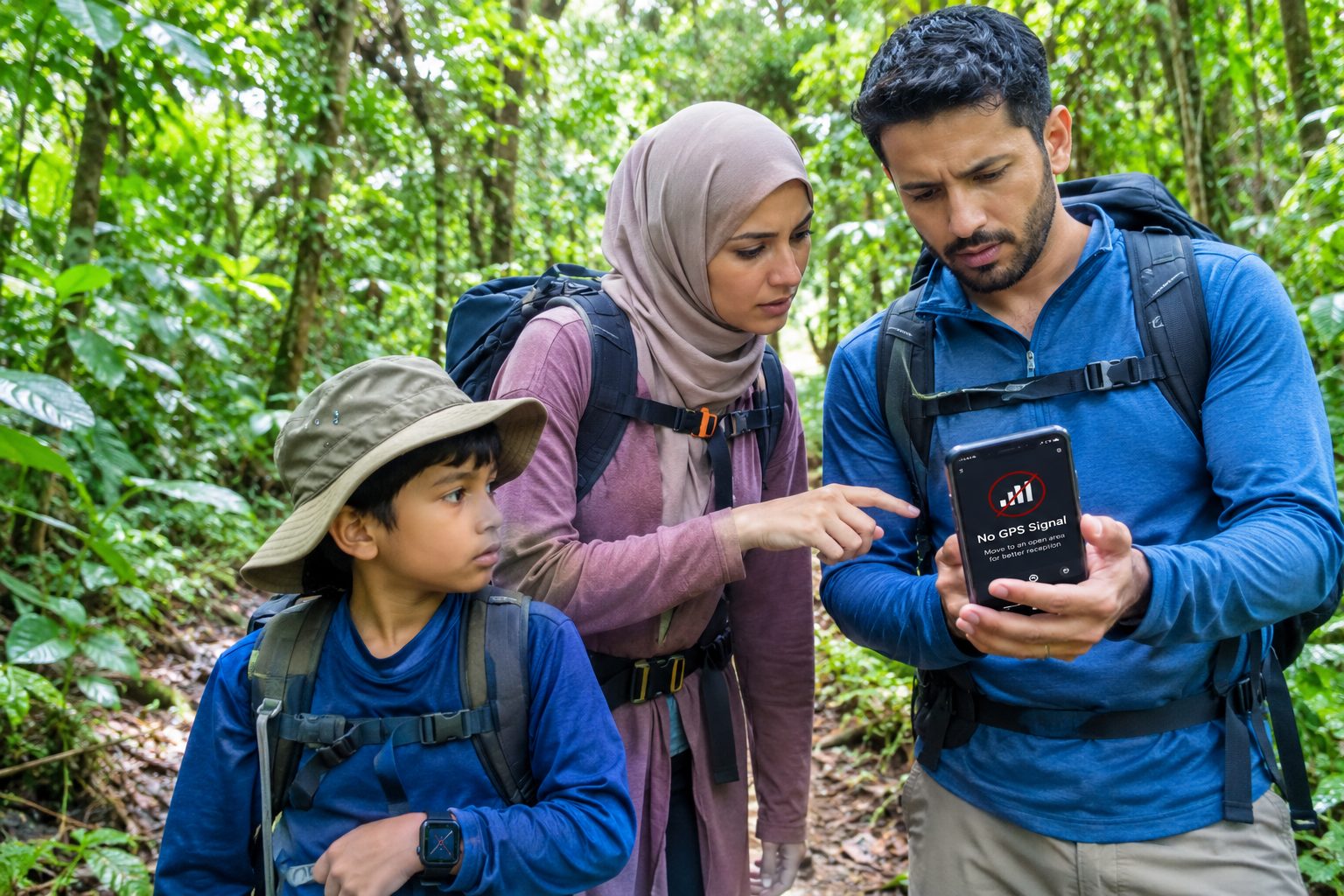
Outdoor GPS range is typically accurate within 3-5 meters (10-16 feet), while indoor accuracy using Wi-Fi Positioning System (WPS) is within 10-30 meters (33-98 feet).
Beyond tracker performance, proactively learning how to check if a destination is safe for family vacation is a key part of your planning.
[High update frequency] → [causes] → [rapid battery depletion].
- Cellular Network Coverage: The availability and compatibility of cellular networks, especially for international travel, are crucial. Without adequate network access, the tracker cannot transmit location data.
- Battery Life: The rate of battery consumption directly impacts how long the tracker can actively provide location updates. Devices with poor battery life may fail mid-day.
- Physical Obstructions: Environments like dense cities with tall buildings, thick foliage in natural parks, or even the steel hull of a cruise ship can block satellite signals, reducing accuracy or causing temporary signal loss.
- Tracker Technology: The specific technologies a tracker uses (GPS, Wi-Fi, LBS) influence its accuracy and performance in different scenarios. For example, A-GPS improves accuracy in urban areas.
- Location Update Frequency: Setting a tracker to update every 10 seconds provides near real-time data but drains the battery rapidly, impacting real-time location tracking for a full day at a theme park. Conversely, a 15-minute update preserves battery but is less useful for quickly locating a fast-moving child.
Why do parents consider using GPS trackers for kids on vacation?
Parents primarily consider GPS trackers for kids on vacation to gain peace of mind, providing a proactive safety net in unfamiliar, crowded environments. These devices mitigate the fear of a child getting lost by offering a technological tool for rapid location, efficiently resolving stressful situations and enabling supervised independence.
The main motivation is to mitigate the fear of a child wandering off and becoming lost in a new place. The tracker provides a direct, technological tool to quickly locate the child, reducing panic and resolving the situation efficiently.
Beyond the obvious “lost child” scenario, experienced family travelers use trackers as a tool for granting older children more independence. For example, a teen can explore a designated area of a cruise ship or a contained resort property, and parents can verify their location without constant check-ins, fostering trust while maintaining a safety backstop.

According to a 2024 survey, abduction was the most worrisome issue for parents, and a survey from 2021 showed around 32% of parents have lost a child at a crowded event. Safewise reports on child safety concerns.
For additional strategies and techniques, read more about how to prevent children from getting lost on family vacation.
[GPS tracker] → [enables] → [safe, supervised independence for older kids].
- Peace of Mind: The core emotional driver, allowing parents to relax and enjoy their vacation knowing they have a tool for rapid child location.
- Safety in Crowded Places: Mitigation of fear that a child will wander off and become lost in busy locations like airports, theme parks, or busy city centers.
- Managing Special Needs: Providing an extra layer of security for children with special needs who might be prone to wandering.
- Allowing Age-Appropriate Independence: Granting older children more freedom within defined boundaries, fostering trust while ensuring a safety backstop.
- High-Stakes Scenarios: Providing a direct, technological tool for quickly locating a child in stressful situations like navigating the Paris Métro or a crowded market in Marrakech.
Author’s Experience
“On our last trip to an incredibly crowded market, my heart almost stopped when I couldn’t spot my son. Having his GPS tracker confirm his exact location within seconds brought an immediate wave of relief. It transforms potential panic into quick, decisive action, making travel so much less stressful.”
2. What types of GPS trackers are most suitable for family travel?
The most suitable GPS trackers for family travel include wearable devices (watches/bracelets) for younger children, discreet clip-on units for versatility, and app-based solutions leveraging existing smartphones for older kids. The optimal choice depends on the child’s age, vacation activities, and the required level of durability and independence.
For family travel, wearable watches are excellent for younger children who might lose a separate device, while clip-on trackers offer versatility for attaching to backpacks or clothing. App-based solutions are cost-effective for older children who already carry a phone.
The “form factor” is a critical, often overlooked E-E-A-T (Experience) element. A silicone wristband tracker is great for a water park, but a child may resist wearing it under a bulky ski jacket. A clip-on tracker is discreet but can be easily removed or lost during rough play, making the choice of *type* highly dependent on the specific vacation’s climate and planned activities.
**Form Factor:** The physical size, shape, and design of a hardware device. In this context, it refers to whether the tracker is a watch, a pendant, a clip-on tag, or another physical format.
Choose a wearable tracker for young children (ages 4-9) on active vacations, a clip-on for versatile use with older kids or attaching to gear, and an app-based solution for teens who reliably carry their own smartphone.
How do wearable GPS trackers compare to app-based solutions for vacation use?
Wearable GPS trackers are ideal for younger children on vacation due to their dedicated, durable, and often water-resistant design with SOS features. App-based solutions, while cost-effective for teens, rely on smartphone battery life and connectivity, making them less robust for independent child safety, particularly internationally.
Wearable trackers are superior for younger children as they are self-contained and harder to lose, offering features like SOS buttons and water resistance. App-based solutions are more suitable for teens, leveraging a device they already have but making them dependent on that phone’s battery life and connectivity.
The key differentiator for international travel is dependency. A dedicated wearable tracker with a global SIM is an independent system. An app-based solution is dependent on the child’s phone, its international data plan (which can be expensive or unreliable), and the child’s diligence in keeping it charged, creating multiple potential points of failure.
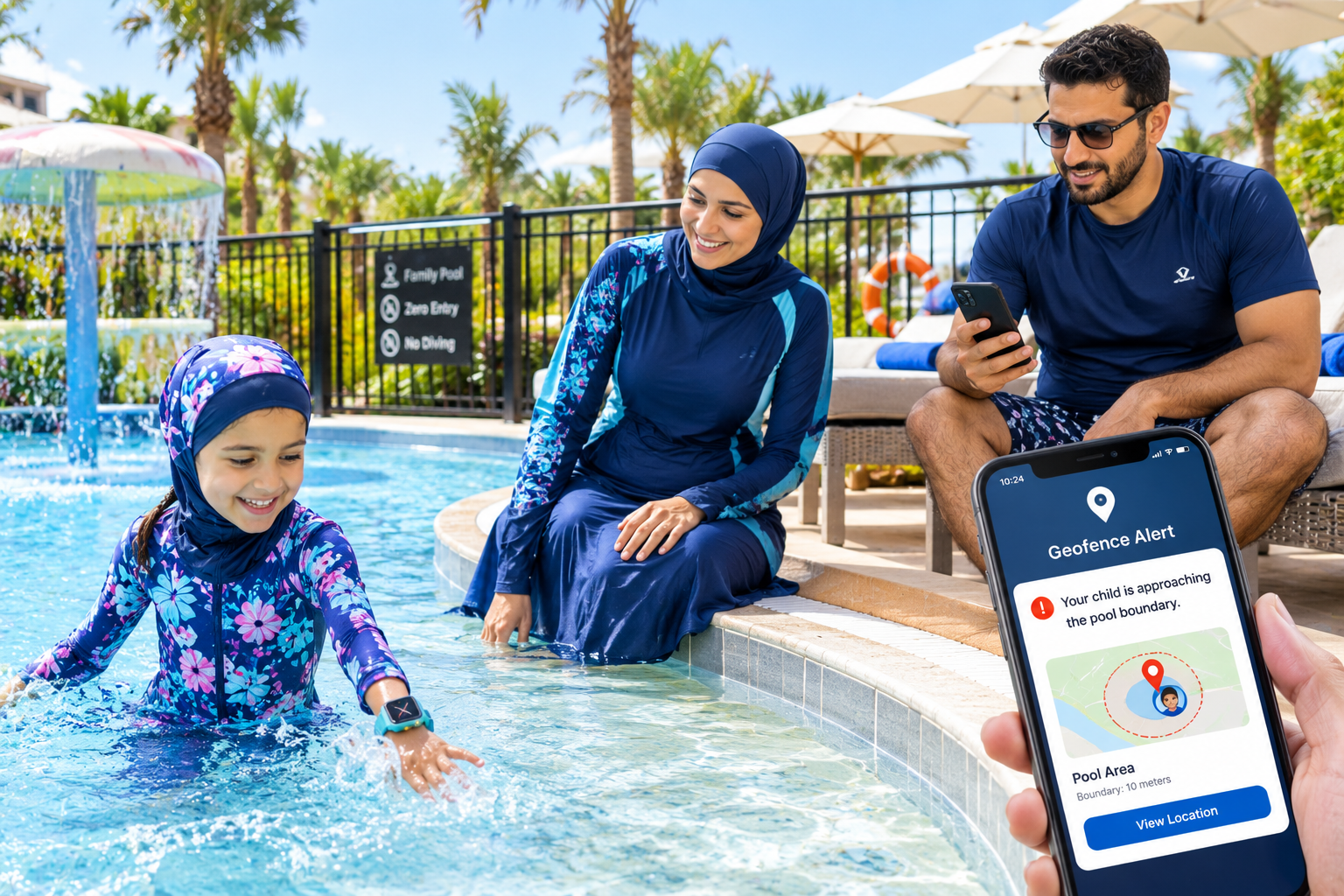
A 2024 report from the Pew Research Center stated that one in four parents track their kids well into young adulthood, often using phone-based apps. ConsumerReports explores this trend.
[App-based solution] → [possesses attribute] → [dependency on smartphone battery].
| Attribute | Wearable GPS Trackers | App-Based Solutions |
|---|---|---|
| Cost | Higher upfront cost for device, plus subscription. | Lower upfront cost (uses existing phone), plus data plan or international roaming. |
| Durability & Water Resistance | Often designed to be rugged and water-resistant (e.g., IP Rating). Less prone to breakage. | Depends on the child’s phone; generally less rugged, not designed for child-specific wear. |
| Child-Friendliness | Dedicated devices for children, often with SOS buttons and simpler interfaces. Harder to lose or forget. | Relies on child’s responsibility to carry, charge, and not lose their smartphone. |
| Battery Dependency | Independent battery designed for tracking, often lasting 24+ hours. | Dependent on the smartphone’s battery, which may drain faster with active tracking apps, especially with international roaming. |
| Independence | An independent system, functions without a paired phone nearby (cellular models). | Dependent on the child’s phone being on, charged, and having data connectivity. |
| Recommendation | Ideal for younger children or active vacations where a dedicated, robust device is needed. | Suitable for responsible teens who already carry smartphones and understand the limitations. |
What core features should a vacation-friendly GPS tracker offer?
A vacation-friendly GPS tracker must offer long battery life (for all-day use), robust geofencing, accurate real-time tracking, a dedicated SOS button, and water/impact resistance. These features are crucial for effective monitoring, rapid emergency response, and device durability in diverse travel environments.
Essential features for travel include a battery that lasts a full day of activity, the ability to set “safe zones” like a hotel or resort area, accurate real-time updates for crowded places, an easy-to-press emergency button, and durability to withstand beach sand or accidental drops.
Look for a “Location History” feature. While real-time tracking is for immediate needs, location history can be invaluable for retracing steps to find a lost item (like a backpack the tracker is in) or non-urgently confirming a teenager’s whereabouts from the previous evening at a large resort.
Some advanced trackers offer extensive location history archives, providing parents the capability to review travel patterns over several years, which can be useful for various purposes beyond immediate tracking.
Ensuring you have all necessary gear is crucial; discover other essential safety items to pack for a family vacation to complete your preparedness kit.
[Location History feature] → [provides] → [ability to retrace a child’s path].
- Real-Time Tracking: Provides immediate location updates, crucial for quickly locating a child in crowded or unfamiliar environments.
- Geofencing: Allows you to set virtual “safe zones” (e.g., the perimeter of the hotel pool, the festival grounds, or the specific pier our cruise ship is docked at) and receive instant alerts if your child leaves them.
- SOS Button: A dedicated, easy-to-press button on the device that allows the child to send an immediate alert to pre-set emergency contacts.
- Long Battery Life: Essential for ensuring the tracker remains functional throughout a full day of vacation activities.
- Water and Impact Resistance (IP Rating): Durability to withstand accidental drops, exposure to beach sand, or splashes, ensuring the device survives varied travel conditions.
- Two-Way Communication: The ability to make and receive calls from pre-approved numbers, facilitating direct communication with your child.
- Location History: Records past movements, useful for reviewing a child’s activity or retracing steps if an item is lost.
3. Which GPS tracker features are essential for family vacation safety and convenience?
For family vacation safety, essential GPS tracker features include long battery life (exceeding 24 hours), accurate real-time tracking, customizable geofencing for virtual boundaries, and a user-friendly SOS button for immediate alerts. These prioritize device function during emergencies and minimize parental anxiety through proactive monitoring.
For vacation safety, prioritize features that ensure the device is functional when you need it most: a battery that outlasts a day’s excursion and an SOS button that immediately alerts you. For convenience, prioritize real-time tracking and geofencing to minimize manual checking and parental anxiety.
A feature that is critical for vacation convenience but often overlooked is “multiple user access.” This allows both parents (and potentially another trusted adult like a grandparent on the trip) to monitor the child’s location from their own phones simultaneously, which is essential for coordination if the family splits up to do different activities at a large destination.
**Geofencing:** A feature that uses GPS to define a virtual geographic boundary (a “fence”) and triggers an alert on the parent’s device when the tracker enters or leaves this area.
Prioritize a tracker with a battery life exceeding 24 hours of active use and robust geofencing if your trip involves large, open areas like national parks or sprawling resorts.
How does battery life impact GPS tracker utility during a family vacation?
Battery life profoundly impacts GPS tracker utility on family vacation; a dead tracker renders it useless for safety, providing a false sense of security. Devices should last at least 24 hours of active use to be reliable throughout a long day at locations like theme parks, making ample battery capacity a non-negotiable requirement.
During a long vacation day at a theme park or on a city tour, a tracker with poor battery life will likely fail before the day is over, rendering it useless in a potential emergency. Therefore, selecting a device with a battery rated for at least 24 hours of typical use is a non-negotiable requirement for travel.
The “mode” of travel significantly impacts battery drain. A tracker on a child in a car or train (low signal change) uses far less power than a tracker on a child walking through a dense city, where it constantly searches for new cell towers and GPS signals. Parents should plan for the most battery-intensive scenario of their trip.
General observation based on industry product specifications: GPS tracker battery life can range from 24 hours for smartwatches to nearly two weeks for portable units, and up to 30-60 days for devices in a battery-saving or sleep mode.
[Urban environments] → [accelerate] → [battery drain].
- Full Day of Use: The minimum standard for a vacation tracker; it must last through a full day of activities (e.g., 8-12 hours) without needing a recharge.
- Testing Before Trip: Test the tracker’s battery life on a busy day at home *before* your trip to get a realistic benchmark of its performance.
- Impact on Child Safety: A dead battery means the tracker offers no safety benefit, creating a false sense of security and compromising child safety on family vacation.
Why is geofencing important for a child’s GPS tracker on holiday?
Geofencing is crucial for a child’s GPS tracker on holiday because it provides proactive, automated alerts. Parents can define virtual “safe zones” around areas like resorts or museums; if a child exits this boundary, an immediate notification is sent, enabling swift action and transforming the tracker into a preventative safety tool.
On holiday, you can set a geofence around your resort, a specific beach area, or a museum. If the child wanders outside this “safe zone,” you receive an immediate notification on your phone, allowing you to act before they get too far away.
An advanced use of geofencing for vacation is setting up *multiple* fences. For example, a small fence around the kids’ club for an instant alert, and a larger fence around the entire resort property as a secondary, more serious alert. This layered approach provides nuanced levels of security.
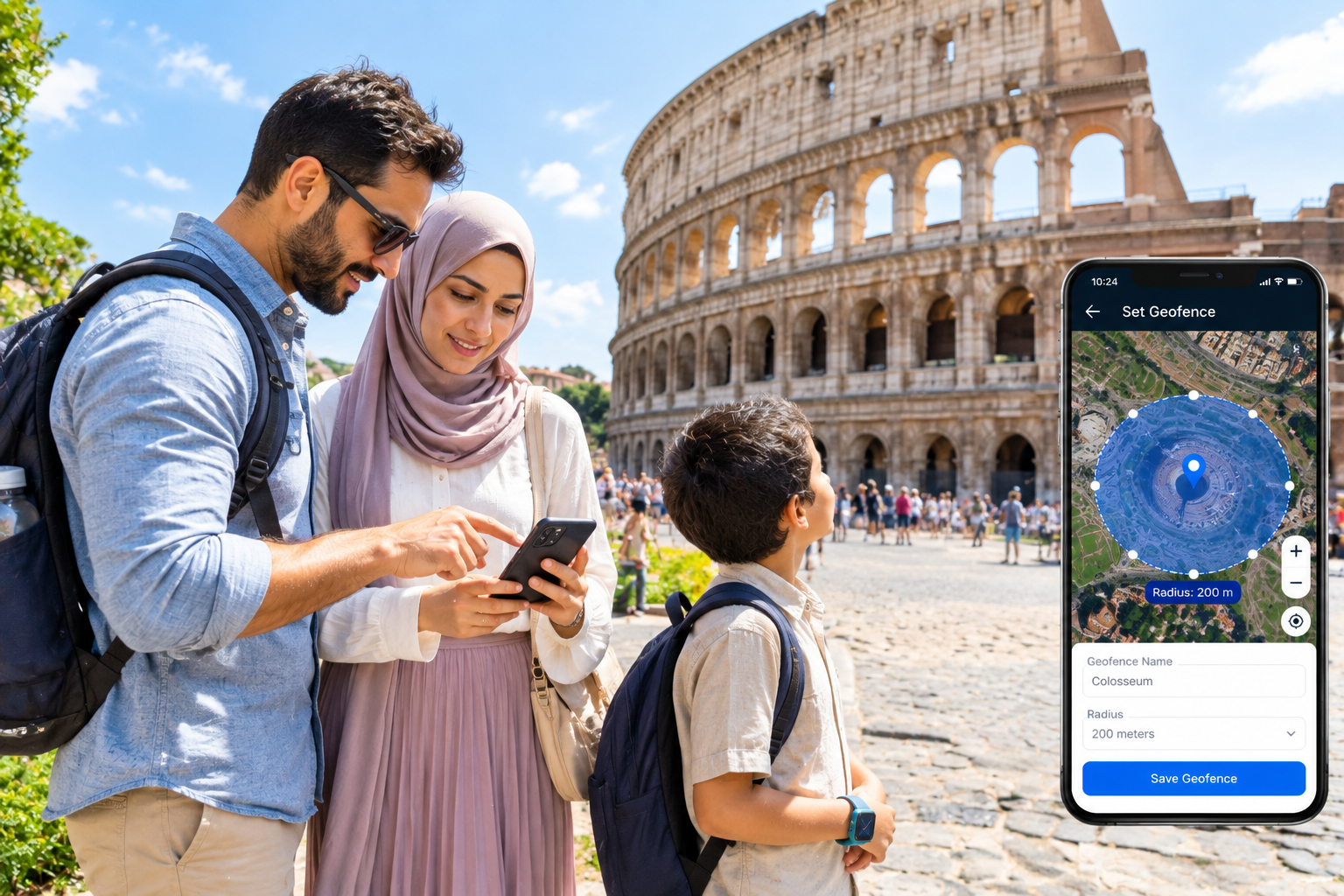
Research indicates that using geofencing alerts can reduce parental location anxiety by as much as 60%. Family1st highlights the impact on parental peace of mind.
[Geofencing] → [provides] → [proactive boundary-crossing alerts].
- Define a Safe Area: You use the tracker app to draw a virtual boundary around your intended safe zone.
- Monitor Child’s Location: The tracker continuously monitors your child’s position relative to this geofence.
- Receive Instant Alerts: If your child crosses the pre-defined boundary, you receive an immediate notification on your phone, allowing you to react quickly.
Geofencing transforms a child locator device for crowded places into a preventative tool. Examples include setting a fence around the perimeter of the hotel pool, the festival grounds, or the specific pier our cruise ship is docked at. It’s recommended to set the fence slightly *inside* the actual property line to avoid false alerts from GPS drift.
4. How do cellular and Bluetooth GPS trackers compare for international family travel?
For international family travel, cellular GPS trackers provide superior, long-range tracking by utilizing global mobile networks, making them ideal. Bluetooth trackers, however, are limited to a very short range (30-200 feet) from a paired smartphone, rendering them unsuitable for tracking a child in foreign cities due to their inherent dependency.
Cellular trackers use mobile data networks to transmit location information from anywhere in the world (with a compatible plan), making them ideal for international travel. Bluetooth trackers only work within a very short range (typically 30-200 feet) of a paired smartphone, making them useful for finding keys in a hotel room but not for tracking a child in a foreign city.
The critical distinction is “dependency.” A cellular tracker is an independent device. A Bluetooth tracker is a dependent tag that is useless the moment it is out of range of its paired phone. This makes it fundamentally unreliable for a scenario where a child might wander more than a few hundred feet away.
**Bluetooth Tracker:** A small tag that communicates its presence to a nearby smartphone via a low-energy Bluetooth signal. It does not have its own GPS or cellular connection and relies entirely on the phone’s location services.
Choose a cellular GPS tracker for any international travel or any domestic vacation where your child might be out of your immediate sightline. Only consider a Bluetooth tracker for keeping tabs on luggage or items that will remain close to you.
| Feature | Cellular GPS Trackers | Bluetooth Trackers |
|---|---|---|
| Range | Global (where cellular network is available), long-range tracking. | Very short range (typically 30-200 feet) from a paired smartphone. |
| Cost | Higher upfront cost, requires monthly/annual subscription (potential international roaming fees). | Lower upfront cost, no subscription required (though some apps offer premium features). |
| International Use | Ideal, provided the subscription includes international roaming for GPS tracker functionality. | Not suitable for child safety; relies on local smartphone network/proximity. |
| Accuracy | High accuracy (3-5 meters) using GPS, supplemented by A-GPS and Wi-Fi. | Proximity-based; “find my network” features are passive and slower for people. |
| Dependency | Independent device, uses its own cellular connection. | Dependent on a paired smartphone for location updates. |
| Best Use Case | Tracking a child anywhere (theme parks, foreign cities, cruise ships, international travel). | Locating nearby items (keys, luggage) or monitoring a child in a very confined, close-proximity area. |
What are the cost implications of using cellular GPS trackers abroad?
Using cellular GPS trackers abroad incurs potential international roaming fees, directly tied to the tracker’s service plan and its coverage at your destination. Opting for devices with global SIMs or international carrier partnerships can provide flat-rate plans, preventing unpredictable per-megabyte data charges and offering more financially savvy solutions.
Using a cellular tracker overseas requires a subscription plan that includes international roaming. Some trackers offer this as a standard feature or an affordable add-on, while others may incur significant per-megabyte data charges if used outside their home network.
The most financially savvy approach is to look for trackers that use a “global SIM” or have partnerships with multiple international carriers. These are designed specifically for travel and bundle international usage into a flat-rate monthly or annual fee, eliminating the risk of unpredictable roaming charges.
The average GPS tracker for kids costs between $35 and $150 upfront, with subscription plans ranging from $5 to $20 per month. Greenlight provides options for family tracking.
[Global SIM] → [prevents] → [unpredictable roaming fees].
- Upfront Device Cost: The initial purchase price of the GPS tracker itself.
- Ongoing Subscription Fees: Monthly or annual charges for data connectivity and access to tracking services (e.g., app features, location history).
- International Roaming Fees: Additional charges incurred when the cellular tracker is used outside its home network country. These can be per-megabyte data charges, or bundled into specific international plans.
To avoid surprise costs, verify the tracker’s international coverage list *before* purchasing to ensure it works in your specific destination. Research subscription fees for GPS trackers carefully for both domestic and international travel.
When should parents choose Bluetooth trackers for local vacation spots?
Parents should choose Bluetooth trackers only for local vacation spots where the child remains in very close proximity, like monitoring a toddler within a hotel suite or private garden. These are suitable for “digital leashes” in controlled environments but are not reliable safety devices for crowded public spaces due to their limited range.
A Bluetooth tracker is a suitable choice for a “digital leash” in a controlled, local environment where the child is never more than 50-100 feet away. They are not a safety device for scenarios like a public beach, park, or any crowded local spot where a child could wander out of range quickly.
The “community find” feature of some Bluetooth trackers (like Apple AirTag) is often misunderstood for travel. While it can help locate a lost item by pinging off other users’ phones, it is not reliable or fast enough for the urgent and time-sensitive task of finding a lost child on vacation.
Bluetooth trackers like the Apple AirTag have a range of only about 15 to 30 feet from a paired smartphone to pinpoint a location.
[Community find feature] → [is unsuitable for] → [time-sensitive child location].
- Very Close Proximity: Only for situations where the child is constantly within a few dozen feet of the parent or their smartphone.
- Contained Environments: Ideal for monitoring a toddler within a single hotel suite, a small private garden, or a defined play area.
- Not for Safety in Public Spaces: Do NOT rely on a Bluetooth tracker for safety in any open or crowded public space like a theme park or market, as the range is too limited.
- Analogy: Think of a Bluetooth tracker as a tool for finding your keys in your vacation rental, not for finding your child on the beach.
5. How can parents prepare GPS trackers for optimal performance during a family vacation?
To ensure optimal GPS tracker performance on vacation, parents must fully charge the device, thoroughly test its functions (tracking, SOS), update all software, and pre-configure settings like emergency contacts and initial geofences before departure. This essential pre-trip checklist guarantees the tracker is ready for immediate and reliable use upon arrival.
Before your trip, you must charge the tracker to 100%, test the real-time tracking and SOS functions, install any firmware or app updates, and set up emergency contacts and any preliminary geofences in the app. This pre-trip checklist ensures the device is ready for immediate use upon arrival.
A crucial expert tip is to “practice a ‘lost child’ drill” at a local park before the vacation. This not only tests the technology (SOS button, two-way calling) but also familiarizes your child with what to do and what to expect if they get separated, reducing their potential panic and making the system more effective in a real scenario.
**Firmware:** Permanent software programmed into a device’s read-only memory. Updating the firmware is essential for fixing bugs, patching security holes, and improving performance.
Follow a pre-trip readiness checklist to eliminate technology-related stress on your vacation and ensure your safety investment performs as expected from day one.
What pre-trip checks maximize GPS tracker reliability for travel?
To maximize GPS tracker reliability for travel, verify active subscriptions and international coverage, fully charge all devices, test SOS and geofence alerts, and update both the companion app and tracker firmware. These detailed actions prevent common failures and ensure the device functions as expected in a new environment.
To maximize reliability, you must log into your account to confirm your subscription is active and covers your destination. Then, charge the tracker, test the SOS, low battery, and geofence alerts, and ensure both the app on your phone and the software on the tracker itself are updated to the latest version.
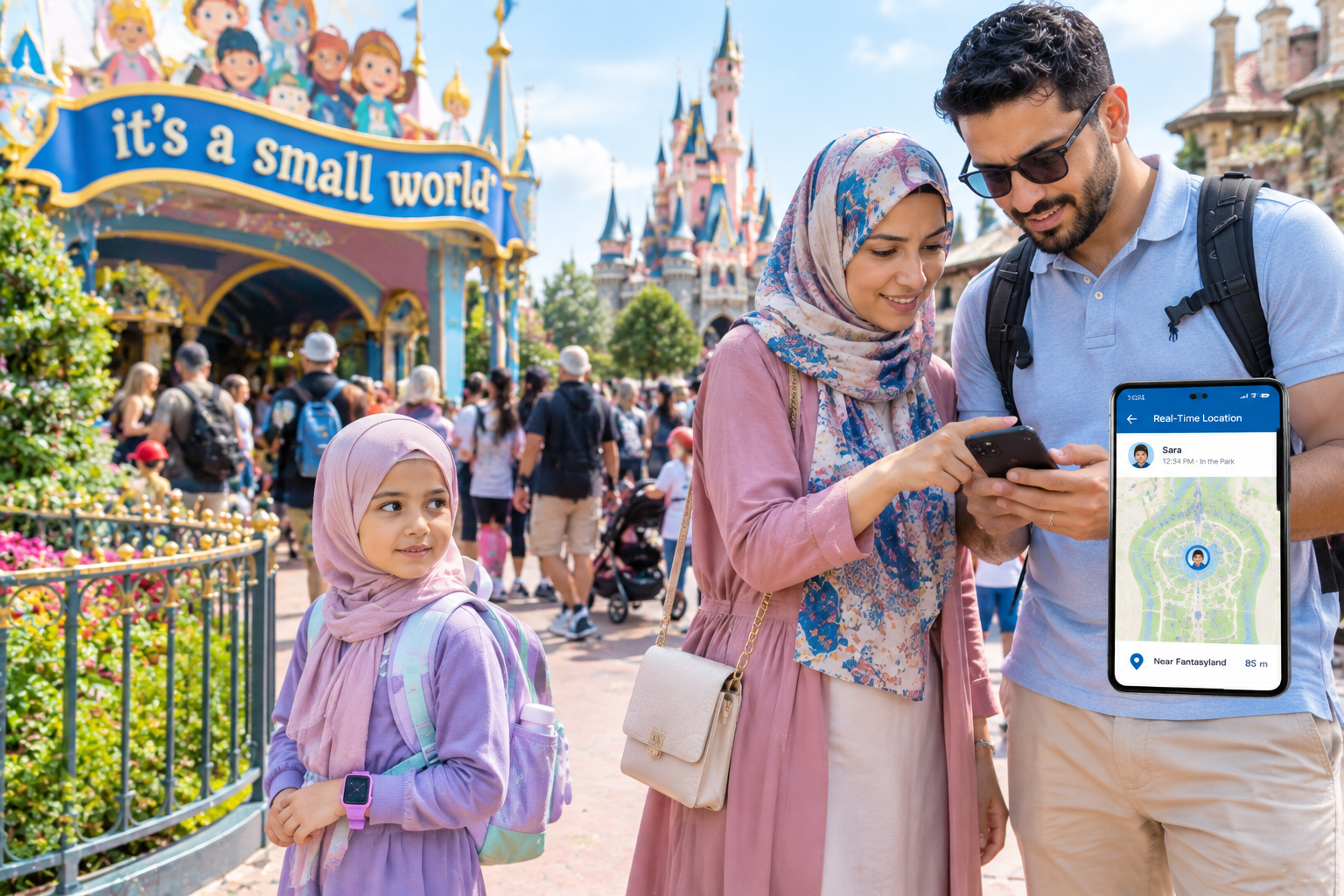
A subtle but critical check is to “save offline maps” of your destination (e.g., in Google Maps) on your own phone. In a scenario where your phone loses data service but the tracker is still transmitting, you could still receive GPS coordinates via SMS and pinpoint them on your saved map, providing a crucial backup.
General observation based on global tracker product offerings: Some global trackers offer coverage in over 190 countries, but it is essential to verify a specific destination is on the provider’s list before traveling.
[Offline maps] → [provide] → [backup location-finding capability].
- Verify Subscription & Coverage: Confirm your tracker’s service plan is active and provides coverage for your vacation destination, especially for international travel. This aligns with “how to set up GPS tracker for trip.”
- Fully Charge All Devices: Ensure the tracker and any companion devices (like your phone) are 100% charged before departure.
- Test All Alert Functions: Test the SOS, low battery, and geofence alerts to ensure they are configured correctly and notify the right contacts.
- Update App & Firmware: Install latest versions for app and tracker software.
- Set Up Emergency Contacts: Double-check that all emergency contact information is correct and accessible.
- Pre-configure Geofences: Set preliminary geofences for your home, airport, and initial destination locations.
- Practice a “Lost Child” Drill: Conduct a simulated “lost child” scenario at a local park to familiarize your child with what to do and to test the system’s effectiveness.
- Save Offline Maps: Download offline maps of your destination on your phone as a backup.
How do you establish geofences effectively for new vacation destinations?
To establish geofences effectively for new vacation destinations, use the tracker app’s satellite view to draw precise virtual boundaries around key locations like hotels, pools, or theme park sections before arrival. Additionally, create dynamic, temporary fences for specific outings (e.g., at a zoo) to ensure highly relevant, real-time safety.
Open the tracker’s app, find your hotel or resort on the map, and use the geofence tool to draw a virtual perimeter around the property. Create separate, smaller fences for high-traffic areas like the beach or kids’ club to get more specific alerts.
The most effective strategy is to create “dynamic geofences.” Don’t just set one for your hotel. When you arrive at the zoo, take 30 seconds to draw a quick fence around the zoo’s perimeter. This temporary, location-specific fence provides highly relevant, real-time safety for the duration of that specific outing.
General industry best practice/recommendation from tracker manufacturers: To prevent false alarms from normal signal variations, it is recommended to set a geofence radius to at least 100 meters.
[Dynamic geofences] → [provide] → [activity-specific safety zones].
- Utilize Satellite Map View: Use the satellite view in your tracker’s app to precisely identify and draw boundaries around key locations before or upon arrival.
- Define Core Zones: Establish geofences around your accommodation (hotel, rental), pool areas, and specific sections of attractions like a theme park.
- Create Dynamic Fences: For specific outings, such as a visit to the Colosseum plaza in Rome or the main village at a ski resort, create temporary geofences.
- Set Appropriate Radius: To prevent false alarms from GPS drift, set the geofence radius to at least 100 meters, or slightly *inside* the actual property line.
6. What are the best practices for using GPS trackers with kids in crowded vacation spots?
Best practices for using GPS trackers in crowded vacation spots involve integrating the device into a comprehensive family safety plan. This means proactive real-time tracking, combining technology with behavioral rules (e.g., child stays put, presses SOS), and establishing physical meeting points as backups, ensuring technology supplements, not replaces, supervision and communication.
In a crowded place, use the real-time tracking feature proactively, checking it periodically rather than waiting for an alert. Crucially, combine the technology with a behavioral plan: instruct your child to stay put if they get lost and to use the SOS button, and establish a physical meeting point as a backup.
The “Check-in” practice: Instead of just tracking them, use the two-way calling feature (if available) for brief, positive “check-ins.” This normalizes the device, reinforces your connection, and allows you to verbally confirm they are okay, which is more reassuring than just seeing a dot on a map.
**Lost Child Plan:** A pre-established set of rules and actions for both parents and children to follow immediately upon becoming separated.
Adopt these best practices to transform the GPS tracker from a simple tracking device into a central hub for your family’s vacation safety and communication strategy.
Implementing these best practices is a vital step in understanding how to keep kids safe on a family vacation during all your adventures.
How should families integrate GPS tracking into a “lost child” plan?
Families should integrate GPS tracking into a “lost child” plan by designating the tracker as the primary location tool, instructing the child to stay put and press the SOS button if lost. Parents then use the real-time map for immediate retrieval, with a pre-designated physical meeting spot serving as a crucial backup.
The plan should be: 1) Child gets lost, stays put, and presses the SOS button. 2) Parent receives the alert and uses the app’s real-time map to walk directly to the child’s location. 3) A pre-designated physical meeting spot (e.g., “the main fountain”) serves as a backup if the technology fails.
Role-play the plan with your child before the trip. Actually have them press the SOS button so they are not scared of it, and walk through what happens next. This muscle memory is invaluable for a child who is panicking and will make them much more likely to follow the plan correctly.
One case study showed that a child wearing a tracker who was abducted was found in 15 minutes rather than several hours because the mother could share the live location with rescuers. The Early Childhood Academy discusses the role of trackers in safety.
[Role-playing the plan] → [builds] → [child’s confidence and compliance].
- Instruct Child to Stay Put: Teach your child that if they get lost, their first action is to stop moving and stay in place.
- Teach SOS Button Use: Show them how to press the SOS button on the tracker to immediately alert you. Role-play this action.
- Primary Location Tool: Upon receiving an SOS alert, your first action is to use the tracker’s app to navigate directly to your child’s real-time location.
- Designate Meeting Spot: Establish a clear, easy-to-find physical meeting spot (e.g., “the main fountain,” “the giant clock”) as a backup if technology fails or for immediate family reunification.
- Identify Safe Strangers: Reinforce traditional safety rules, such as identifying uniformed staff (e.g., police, park rangers) as safe people to ask for help, in addition to using the tracker.
What strategies improve communication when using trackers in unfamiliar areas?
To improve communication when using GPS trackers in unfamiliar areas, parents should frame the device as a “safety communication tool,” using two-way calling for positive check-ins rather than just surveillance. For older children, agreeing on scheduled check-in times fosters trust and reduces resentment, making location data a tool for connection, not just monitoring.
Use the tracker’s calling feature to share exciting finds (“I’m by the cool fountain, come see!”) rather than just for interrogation. For older kids, agree on “check-in” times, giving them freedom within those intervals, which builds trust and reduces resentment.
Use the location data as a conversation starter at the end of the day. Instead of “I saw you went to the arcade,” try “The map showed you spent a lot of time near the north shore, did you find a cool spot?” This turns tracking data into a shared experience.
General observation based on specific smartwatch tracker plans: Some smartwatches with tracking features limit voice calls to 60 minutes per month, encouraging brief and purposeful communication.
[Location data] → [can be used as] → [a positive conversation starter].
- Positive Check-ins: Use two-way communication to ask about their experience, not just to check if they’re “safe.”
- Pre-agreed Schedules: For teenagers with app-based trackers, set an expectation of when they need to check in, building trust.
- Shared Review: Look at the location history together at the end of the day to discuss fun spots they found.
- Avoid Surveillance Framing: Present the tracker as a tool that allows them *more* freedom, not something meant to spy on them.
7. How can parents troubleshoot common GPS tracker issues on vacation?
Even the best technology can face hiccups while traveling. The most common issues with GPS trackers on vacation are rapid battery drain, “GPS drift” causing false alarms, and sudden loss of cellular connectivity. Knowing how to quickly address these issues keeps the safety net intact.
| Issue | Probable Cause | Quick Solution |
|---|---|---|
| Battery draining too fast | Update frequency is set too high (e.g., every 10 seconds). | Access the app settings and change the location ping frequency to 5 or 10 minutes for general tracking. |
| False Geofence Alerts | “GPS Drift” caused by tall buildings or staying indoors reflecting the signal. | Expand the geofence radius slightly in the app to accommodate signal bounce, or turn off Wi-Fi assist if it’s latching onto far-away routers. |
| Tracker shows offline | Device entered a dead zone (subway, thick building) or ran out of roaming data. | Wait for the child to emerge outdoors. Verify your global data plan is active and hasn’t hit a cap. |
Resolution
GPS trackers for kids absolutely work on family vacations and serve as a powerful asset in your travel safety toolkit. By understanding how environmental factors impact performance, choosing the right form factor (wearable vs. app-based), and leveraging core features like geofencing and SOS buttons, parents can significantly mitigate the stress of crowded locations. Most importantly, integrating the tracker into a holistic “lost child plan”—while engaging in open communication with your children—transforms this technology from a surveillance device into a tool that fosters both safety and confident independence.